iOS PWA Prompt (Vanilla JS library)
iOS PWA Prompt JS is a small Vanilla JS + HTML + CSS component that shows a native-like hint for installing your PWA on iOS Safari (via Share → Add to Home Screen).
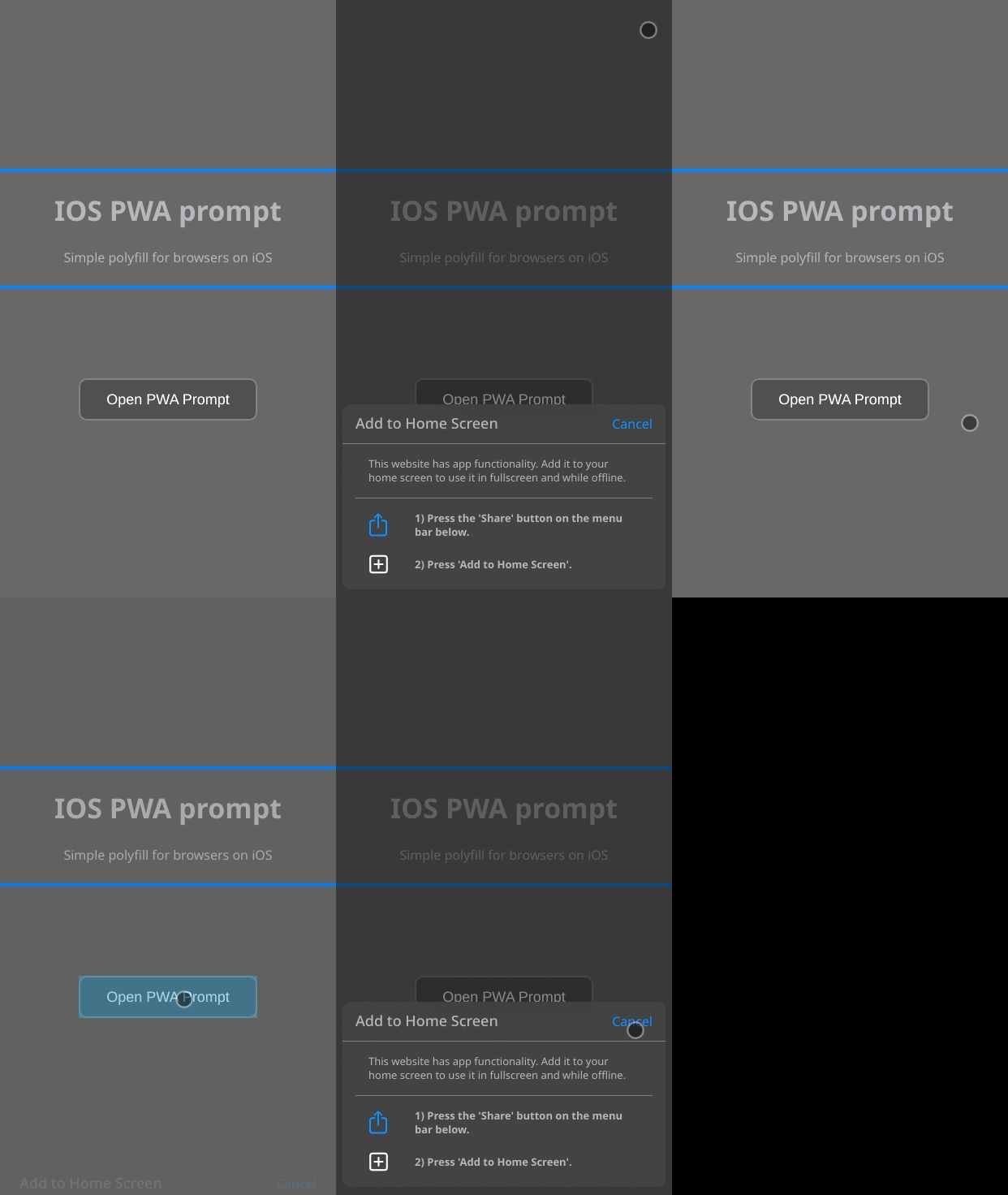
What it does
On iOS, there is no standard “install” prompt event like on other platforms. This component fills that UX gap by showing a bottom-sheet style popup that:
- Explains the exact iOS steps (Share button, then “Add to Home Screen”).
- Shows only when it makes sense: iOS + Safari, not already running in standalone mode.
- Remembers dismissal via
localStorage(so it won’t keep nagging).
Key features
- Framework-agnostic (can be embedded into React/Vue/Angular or plain HTML).
- Theme-aware styling via CSS custom properties +
prefers-color-scheme. - Minimal footprint (no runtime dependencies).
- Native-like visuals and motion (overlay + slide-up sheet).
How it works (implementation notes)
- iOS detection includes iPadOS (
platform === "MacIntel"+ touch points). - Safari detection excludes iOS Chrome/Firefox/Edge/etc via user agent checks.
- Standalone detection uses both
navigator.standaloneand(display-mode: standalone). - Dismissal is stored under
ios-pwa-prompt-dismissed.
Quick start (run the demo locally)
git clone https://github.com/narloch-eu/ios-pwa-prompt-js.git
cd ios-pwa-prompt-js
npm install
npm run start
Integrating it
The demo shows the intended integration:
- Add the prompt markup (overlay + container) from
index.htmlto your page/app shell. - Include the styles from
styles/index.css(CSS variables + component styles). - Include
js/index.jsand decide when to callopenPrompt()(the demo auto-opens 1s afterDOMContentLoadedifshouldShowPrompt()is true).
Requirements (for a real PWA)
To be installable, your site typically needs:
- A valid web app manifest (name, icons, etc.).
- A registered service worker.
- HTTPS in production.
This project focuses on iOS install guidance UX, not PWA generation.
License
MIT